Invite New Account
The Admin, which is the person who created the first account, has the right to invite other colleagues to the platform.
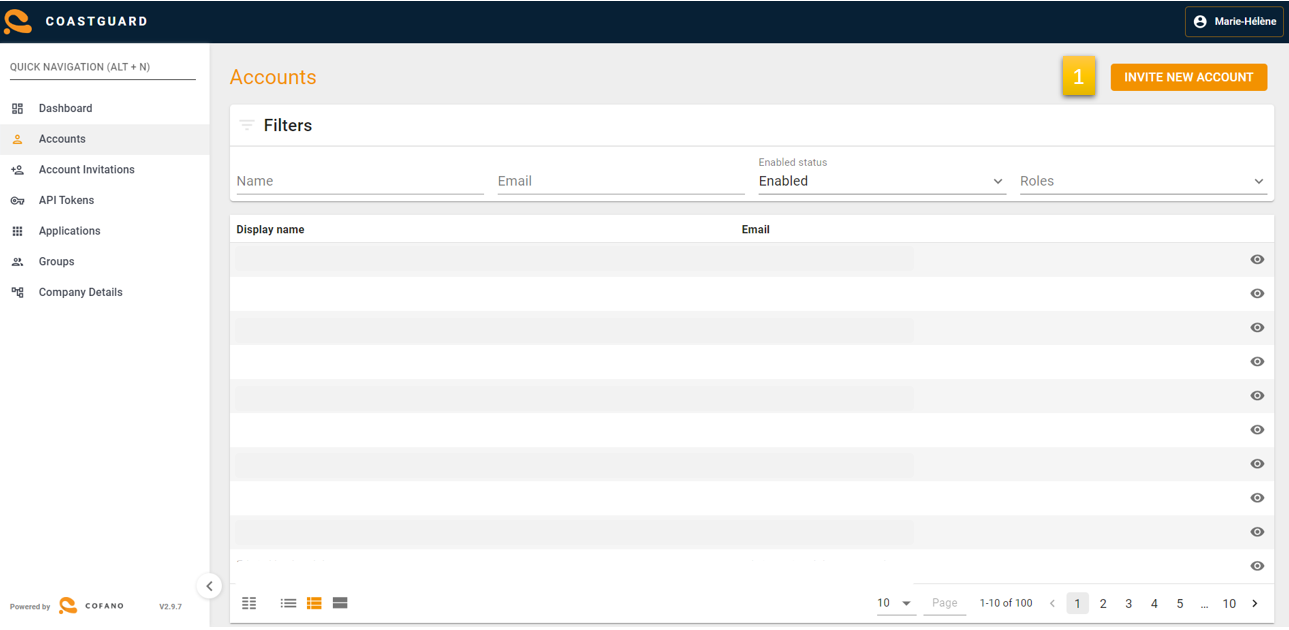
By navigating to Coastguard and clicking “Invite New Account” (1) colleagues can be given access to MPET Connect.
-
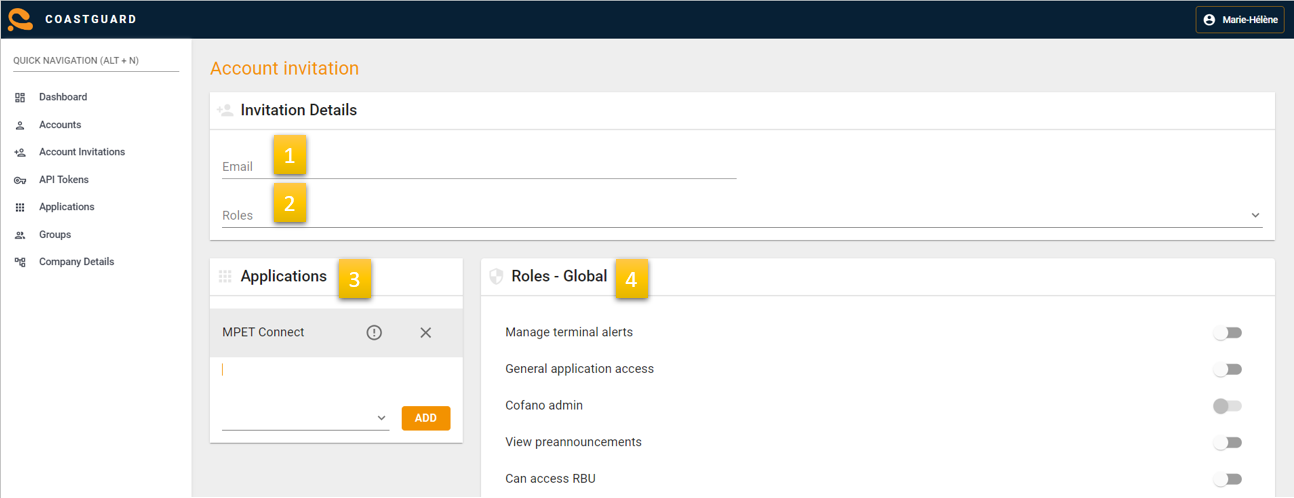
Fill in the email address of the colleague you want to invite.
-
You can assign an admin role to a colleague. However, it is not mandatory to assign a role.
-
Select the application you want your colleagues to be able to access namely “MPET Connect”.
-
Choose which global roles your colleague has available on the website.
Manage Application Rights
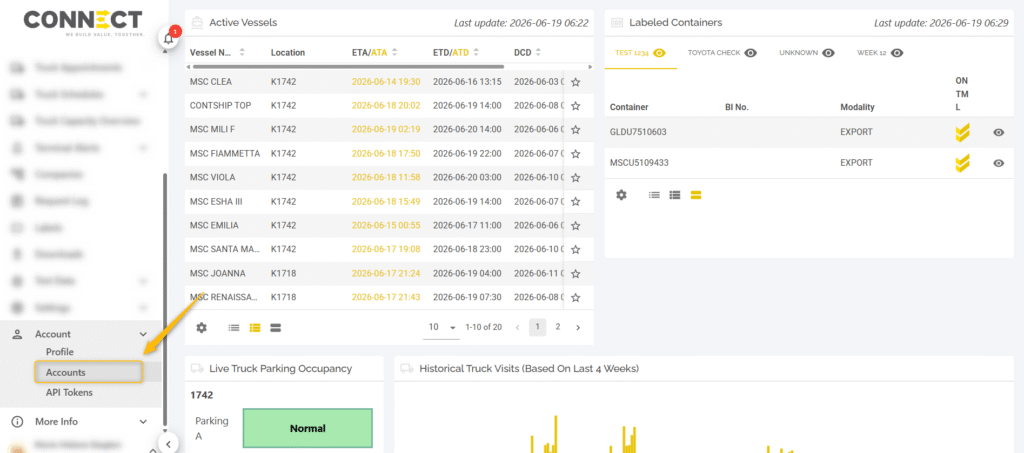
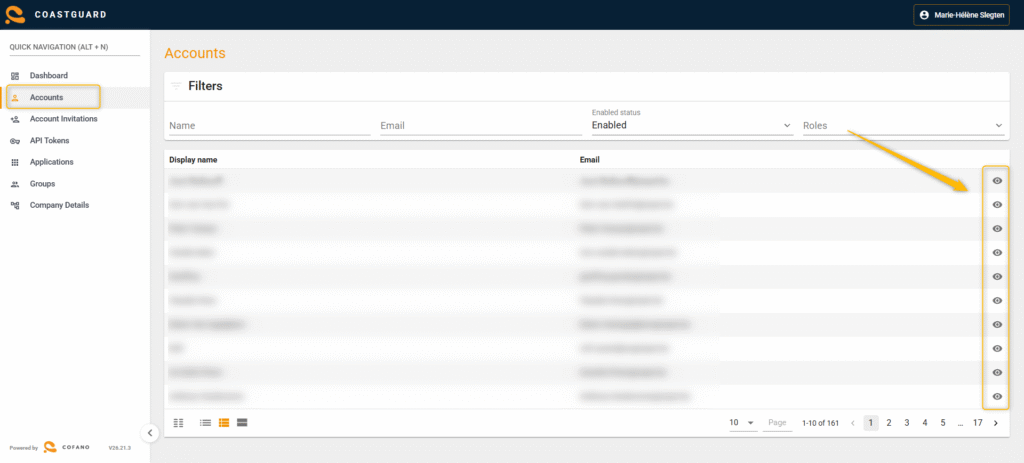
Navigate to accounts either via MPET Connect or go directly to https://coastguard.cofanoapps.com/app/accounts/list/tenant
Click on the eye next to the account you want to review.
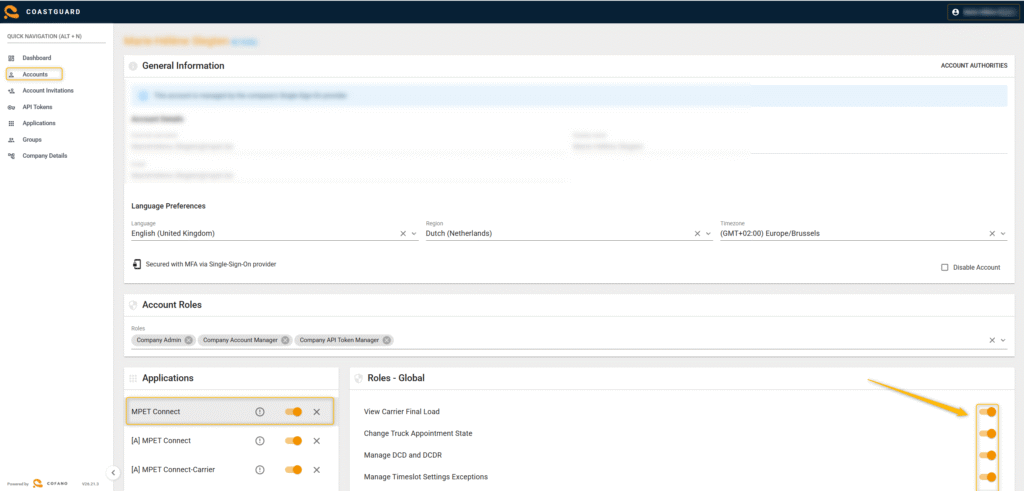
Then click on an application you want to review and check/uncheck all the necessary boxes.
Disable Accounts
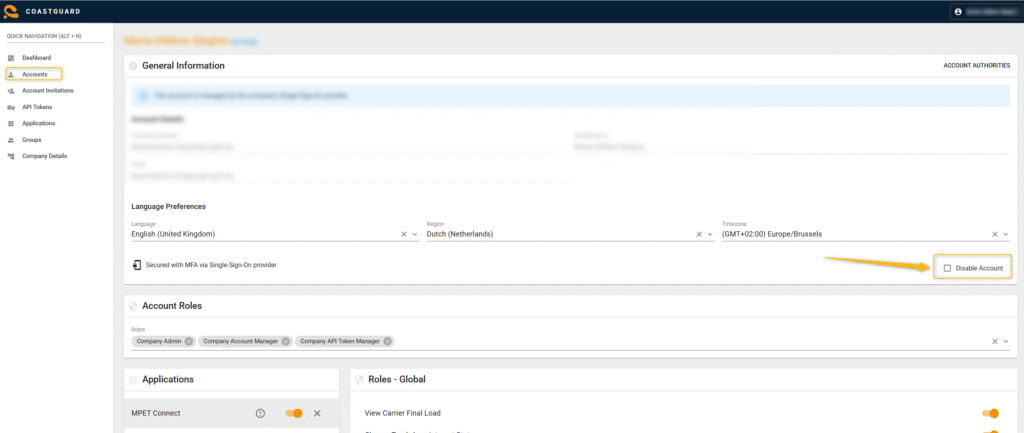
Make sure all colleagues no longer working for your company or who changed to a different role and no longer need access to MPET Connect are disabled. You can do this by going into the account and checking the box “Disable Account”: